


Digital signage has fundamentally transformed how businesses communicate with customers, employees, and visitors. From vibrant retail displays to informative corporate dashboards, these dynamic visual solutions deliver targeted messages at precisely the right moment. As organisations seek more engaging, cost-effective ways to capture attention in an increasingly distracted world, digital signage emerges as an indispensable tool for modern communication strategies. Whether you're considering your first installation or expanding an existing network, understanding the technology, benefits, and best practices ensures your investment delivers maximum impact.
Understanding Digital Signage Technology
Digital signage encompasses networked electronic displays that broadcast multimedia content to specific audiences in physical locations. Unlike traditional printed signs, these systems allow real-time content updates, scheduled messaging, and interactive experiences that respond to viewer behaviour or environmental conditions.
Core Components of Digital Signage Systems
Every digital signage deployment consists of several essential elements working in harmony. Display hardware forms the most visible component, ranging from small tablet-sized screens to massive video walls spanning entire building facades. LCD, LED, and OLED technologies each offer distinct advantages depending on ambient lighting, viewing distance, and budget constraints.
The media player serves as the brain of each display, receiving content from central servers and rendering it locally. Modern players range from compact system-on-chip solutions embedded within displays to powerful standalone computers capable of driving multiple high-resolution screens simultaneously.
Content management software (CMS) enables administrators to create, schedule, and distribute content across entire networks from centralised dashboards. According to AVIXA's research on cloud-based digital signage trends, cloud-native platforms now dominate the market, offering unprecedented flexibility and reducing on-premises infrastructure requirements.
Network infrastructure completes the ecosystem, connecting displays to content servers through wired Ethernet, Wi-Fi, or cellular connections. Robust connectivity ensures seamless content delivery and enables remote monitoring of system health.

Business Applications Across Industries
Digital signage serves diverse purposes across virtually every sector, each leveraging the technology's unique capabilities to solve specific communication challenges.
Retail and Hospitality Environments
Retail environments benefit enormously from digital signage's ability to influence purchasing decisions at critical moments. Point-of-purchase displays showcase promotions, cross-sell complementary products, and reduce perceived wait times at checkouts. Quick-service restaurants use digital menu boards to highlight limited-time offers, adjust pricing based on demand, and update nutritional information instantly to maintain regulatory compliance.
Shopping centres deploy wayfinding systems that help visitors navigate complex layouts whilst simultaneously displaying advertising that generates additional revenue. These dual-purpose installations deliver value to both property owners and tenants.
| Retail Application | Primary Benefit | Typical ROI Period |
|---|---|---|
| Digital menu boards | Dynamic pricing, reduced printing costs | 12-18 months |
| Window displays | Increased foot traffic, after-hours engagement | 18-24 months |
| Queue management | Improved customer satisfaction, upselling | 15-20 months |
| Interactive kiosks | Self-service, reduced staff workload | 24-36 months |
Corporate and Educational Settings
Corporate environments utilise digital signage for internal communications, brand reinforcement, and visitor management. Lobby displays create impressive first impressions whilst communicating company culture and achievements. Employee-facing screens in break rooms, corridors, and meeting spaces broadcast company news, safety messages, and recognition programmes that traditional email often fails to deliver effectively.
Educational institutions deploy digital signage for campus wayfinding, emergency notifications, event promotion, and celebrating student achievements. Universities particularly value the technology's ability to reach students who increasingly ignore email communications.
Healthcare and Public Sector
Hospitals and medical facilities rely on digital signage for patient wayfinding, appointment notifications, health education, and queue management. Emergency departments use displays to communicate wait times transparently, reducing anxiety and aggressive incidents.
Government buildings, transport hubs, and civic spaces use digital signage to deliver public information, emergency alerts, and community messaging. The technology's ability to override scheduled content with urgent notifications makes it invaluable for public safety communications.
Content Strategy and Design Principles
Effective digital signage requires more than simply digitising printed materials. Content must be specifically designed for brief viewing times, variable viewing distances, and the medium's unique capabilities.
Creating Engaging Visual Content
Simplicity reigns supreme in digital signage design. Viewers typically engage with displays for just 2-5 seconds, demanding concise messaging and bold visual hierarchies. Limit text to 7-10 words per screen, use high-contrast colour schemes, and ensure typography remains legible from your maximum viewing distance.
Motion attracts attention but must be purposeful rather than distracting. Subtle animations, smooth transitions between messages, and occasional video content maintain engagement without overwhelming viewers. Static content that never changes quickly becomes invisible as audiences habituate to constant visuals.
Content should follow the 5-3-2 rule: viewers should grasp the main message within 5 seconds, understand key details within 3 seconds more, and be motivated to act within the final 2 seconds. This principle ensures even the briefest glance delivers value.
- Use bold, sans-serif fonts at minimum 48-point size
- Limit each message to one clear call-to-action
- Maintain brand consistency across all content
- Test content from actual viewing distances before deployment
- Refresh content regularly to prevent message fatigue

Scheduling and Dayparting Strategies
Sophisticated content strategies align messaging with audience composition and context throughout the day. Dayparting delivers breakfast promotions during morning hours, lunch specials at midday, and dinner options in the evening. Retail environments adjust featured products based on foot traffic patterns and historical sales data.
Weather-triggered content automatically adjusts messaging based on current conditions, promoting umbrellas during rain or cold beverages during heat waves. Location-based customisation ensures content remains relevant across multi-site deployments whilst maintaining brand consistency.
Academic research published in the Journal of Multimedia Tools and Applications on context-aware digital signage demonstrates that contextually relevant content achieves significantly higher engagement rates than generic messaging. Systems incorporating sensors, cameras, and data feeds can adapt content in real-time based on audience demographics, dwell time, and interaction history.
Technical Considerations and Installation
Successful digital signage deployments require careful planning around technical infrastructure, physical installation, and ongoing maintenance.
Display Selection and Placement
Commercial-grade displays specifically designed for continuous operation prove essential for reliability. Consumer televisions typically operate 6-8 hours daily, whilst digital signage displays are engineered for 16-24 hour operation with expected lifespans exceeding 50,000 hours.
Brightness requirements vary dramatically by environment. Indoor locations typically require 350-700 nits, whilst window-facing displays need 2,500-5,000 nits to remain visible in direct sunlight. Outdoor installations demand weatherproof enclosures rated to IP65 or higher, along with thermal management systems for extreme temperatures.
Viewing angles, mounting heights, and ambient lighting all influence display selection and positioning. Landscape orientation suits most applications, though portrait displays excel for wayfinding and queue management in vertical spaces.
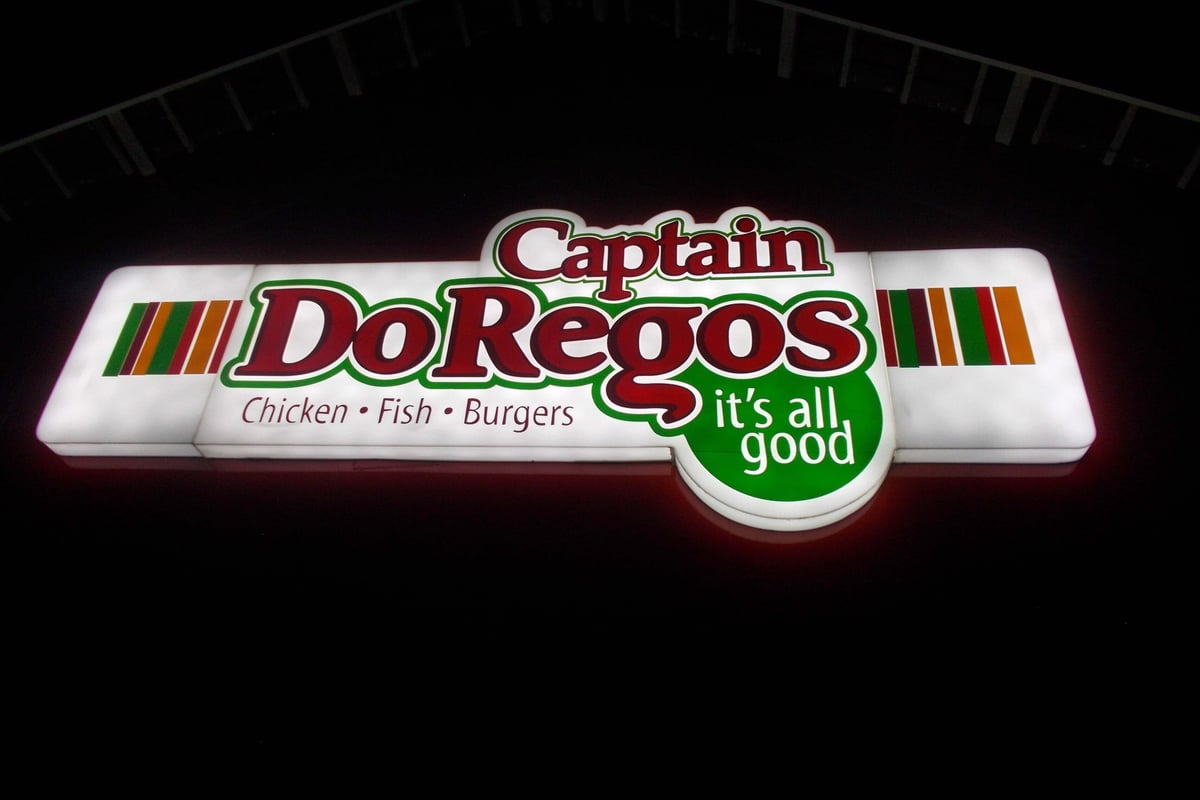
For businesses seeking maximum visual impact, Lightbox Signage offers illuminated solutions that combine traditional sign-making expertise with modern LED technology. These backlit displays deliver consistent brightness and compelling visual presence across retail frontages, corporate lobbies, and exhibition spaces.
Network Security and Device Management
Digital signage networks represent potential security vulnerabilities if improperly configured. According to NIST's guidance on IoT device lifecycle management, organisations must implement secure onboarding procedures, encrypted communications, and regular firmware updates across all connected displays.
Baseline cybersecurity measures include:
- Network segmentation isolating signage devices from critical business systems
- Strong authentication requiring complex passwords and multi-factor authentication
- Encrypted content delivery protecting proprietary messaging and customer data
- Regular security audits identifying vulnerabilities before exploitation
- Vendor assessment ensuring CMS providers follow NIST's foundational cybersecurity activities for IoT manufacturers
Remote monitoring capabilities enable proactive maintenance, automatically alerting administrators to display failures, connectivity issues, or unusual activity. This predictive approach minimises downtime and ensures consistent message delivery across distributed networks.
Measuring Performance and Return on Investment
Digital signage investments demand quantifiable results. Modern analytics platforms transform screens from broadcast-only devices into sophisticated measurement tools that prove business impact.
Key Performance Indicators
Audience measurement technologies ranging from simple traffic counters to sophisticated computer vision systems track viewer numbers, dwell time, and engagement levels. These metrics reveal which content resonates, which placements deliver maximum visibility, and how messaging influences behaviour.
Retail deployments often measure conversion lift by comparing sales data before and after digital signage implementation. A/B testing different messages on similar displays isolates the impact of specific creative approaches, whilst correlation analysis links display activity to transaction data.
The Digital Signage Today analysis of analytics for business success emphasises tracking metrics aligned with specific business objectives rather than vanity measurements. Customer satisfaction scores, average transaction values, and repeat visit rates often prove more valuable than raw impression counts.
| Metric Category | Example KPIs | Measurement Method |
|---|---|---|
| Audience | Daily viewers, dwell time, demographics | Computer vision, sensors |
| Engagement | Touch interactions, QR scans, conversions | CMS analytics, POS integration |
| Operational | Uptime percentage, content updates | Remote monitoring |
| Financial | Sales lift, cost per impression, ROI | Transaction data analysis |
Proof of Concept and Pilot Programmes
Organisations uncertain about digital signage benefits should implement focused pilot programmes before network-wide rollouts. Single-location trials with clearly defined success criteria provide concrete evidence whilst limiting financial exposure.
Successful pilots establish baseline measurements, test content strategies, train staff, and identify technical challenges in controlled environments. Results from these initial deployments inform specifications, budgets, and timelines for broader implementation.
Accessibility and Regulatory Compliance
Digital signage must accommodate all users regardless of visual, auditory, or cognitive abilities. Beyond ethical imperatives, accessibility compliance often represents legal requirements under disability discrimination legislation.
Designing for Universal Access
The W3C's accessibility guidelines provide comprehensive direction for creating perceivable, operable, and understandable digital content. For digital signage specifically, this translates to high colour contrast ratios (minimum 4.5:1 for body text), readable typography, and alternative content presentation methods.
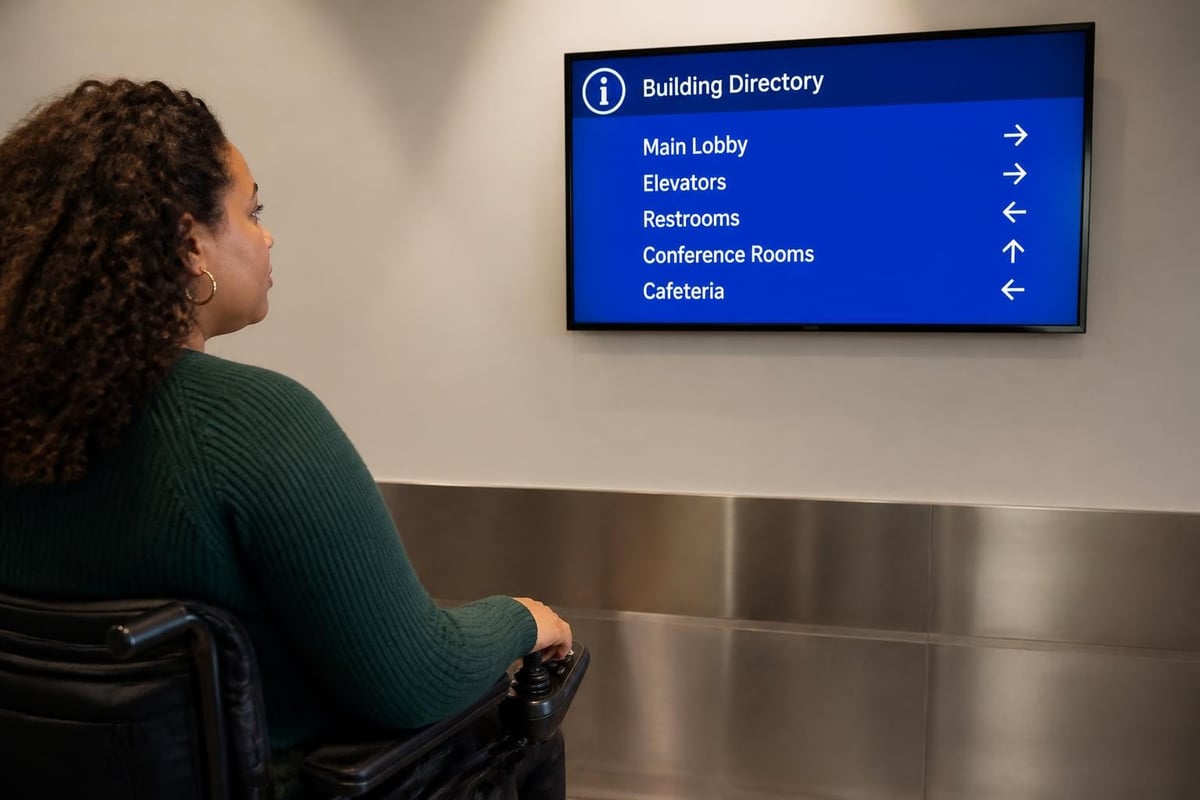
Audio descriptions benefit visually impaired users, whilst visual captions serve deaf and hard-of-hearing audiences. Interactive kiosks require screen reader compatibility, keyboard-only navigation options, and tactile buttons at accessible heights.
Physical installation must follow ADA signage guidelines regarding mounting heights, clearances, and tactile elements. Whilst purely digital displays often fall outside traditional signage regulations, organisations committed to inclusive design proactively apply these principles.
Emerging Trends and Future Developments
Digital signage continues evolving rapidly as display technology, artificial intelligence, and connectivity capabilities advance. According to the 2024 digital signage trends analysis, several developments are reshaping the industry landscape.
Artificial Intelligence and Data Integration
AI-powered content optimisation analyses audience reactions in real-time, automatically adjusting messaging to maximise engagement. Machine learning algorithms identify patterns in viewer behaviour, predict optimal content sequences, and personalise experiences based on demographic detection.
Integration with business intelligence platforms transforms digital signage into data visualisation tools. Corporate dashboards display live sales figures, production metrics, and customer satisfaction scores, creating transparency and motivating teams through visible progress tracking.
Sustainability and Energy Efficiency
Environmental considerations increasingly influence procurement decisions. Modern LED displays consume 40-60% less energy than earlier LCD technologies, whilst adaptive brightness systems reduce power consumption during low-traffic periods.
Content-driven efficiency goes further, using predominantly dark backgrounds that require less backlight energy on OLED displays. Digital signage eliminates printing waste, reduces distribution emissions, and extends message lifecycles, contributing to broader sustainability objectives.
The comprehensive industry analysis in the invidis Yearbook 2024 highlights growing demand for sustainable signage solutions, with environmental impact now ranking among the top five selection criteria for enterprise buyers.
Programmatic Digital Out-of-Home Advertising
Programmatic DOOH brings digital advertising's targeting precision and automated buying to physical environments. Advertisers bid in real-time for display inventory, targeting specific demographics, times, and locations with unprecedented granularity.
This evolution transforms digital signage networks into revenue-generating media assets. Retailers offset deployment costs by selling advertising space during non-promotional periods, whilst property owners monetise lobby and corridor displays previously used solely for wayfinding.
Implementation Planning and Vendor Selection
Successful digital signage projects begin with thorough planning and careful vendor evaluation. Rushing implementation without clear objectives, realistic budgets, and appropriate expertise frequently leads to underperforming systems and disappointed stakeholders.
Defining Project Scope and Objectives
Start with business goals rather than technology specifications. Are you aiming to increase sales, improve wayfinding, enhance brand perception, or streamline communications? Clear objectives enable appropriate technology selection and provide benchmarks for success measurement.
Budget planning must account for total cost of ownership beyond initial hardware expenses. Content creation, software licensing, connectivity, maintenance, and eventual replacement all contribute to lifetime costs. Organisations underestimating ongoing expenses often struggle to maintain effective programmes.
Evaluating Content Management Platforms
CMS selection significantly impacts operational efficiency and creative flexibility. According to AVIXA's overview of digital signage systems, key evaluation criteria include:
- Ease of use enabling non-technical staff to create and schedule content
- Scalability supporting growth from single displays to thousands of endpoints
- Integration capabilities connecting with existing business systems and data sources
- Reliability ensuring consistent content delivery with minimal downtime
- Support quality providing responsive technical assistance when issues arise
Cloud-based platforms offer rapid deployment, predictable subscription costs, and automatic updates, whilst on-premises solutions provide maximum control and data sovereignty for organisations with strict security requirements.
Digital signage represents a powerful communication medium that delivers measurable results across diverse business environments when implemented thoughtfully. From enhancing customer experiences to streamlining internal communications, the technology continues evolving with artificial intelligence, improved analytics, and sustainability innovations. Whether you're exploring digital solutions for the first time or expanding existing capabilities, Signshoponline provides expert guidance and comprehensive signage solutions tailored to your specific requirements, ensuring your investment delivers maximum impact and lasting value.


