

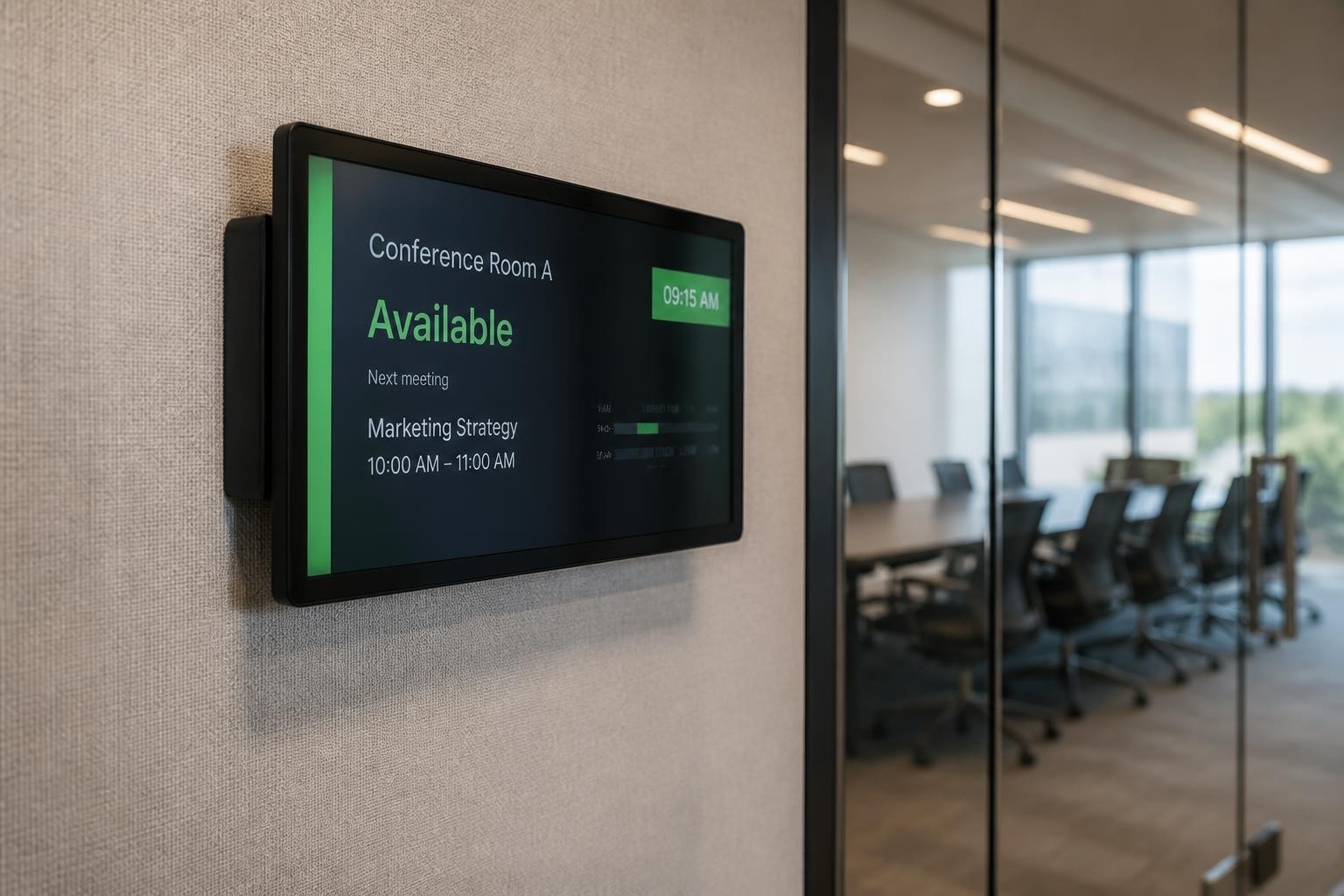
Modern businesses demand efficient communication systems that streamline operations and enhance productivity. Conference room digital signage has emerged as a critical component of workplace technology infrastructure, transforming how organisations manage meeting spaces, communicate schedules, and deliver information to employees and visitors. These dynamic displays replace static room labels with intelligent systems that integrate calendaring platforms, display real-time availability, and provide wayfinding assistance throughout corporate facilities.
Understanding Conference Room Digital Signage Systems
Conference room digital signage refers to electronic displays positioned outside or inside meeting spaces that communicate room status, booking information, and organisational announcements. Unlike traditional nameplate signs, these systems connect to calendaring platforms such as Microsoft 365, Google Workspace, or Exchange Server to display live booking data.
The technology typically consists of several components working in concert:
- Display hardware ranging from compact tablets to large-format LED panels
- Content management software that controls what information appears on screens
- Integration middleware connecting calendaring and room booking systems
- Network infrastructure enabling real-time data synchronisation
- Mounting solutions that position displays at appropriate viewing heights
Modern conference room digital signage systems have evolved beyond simple room labels. They now incorporate touch functionality, allowing employees to check availability, book rooms on the spot, or extend meetings directly from the corridor display. This interactive capability reduces scheduling conflicts and maximises space utilisation across corporate facilities.
Key Features That Define Effective Systems
Professional conference room digital signage delivers specific functionality that addresses common workplace challenges. The most valuable systems provide instant visibility into room availability through colour-coded status indicators-typically green for available, red for occupied, and amber for upcoming bookings.
Calendar synchronization stands as the foundation of effective room signage. Integration with platforms like Microsoft Teams Rooms enables displays to pull meeting details directly from corporate calendaring systems. Microsoft's guidance for Teams Rooms digital signage outlines how organisations can leverage existing infrastructure to deploy intelligent room displays without purchasing dedicated hardware.
Meeting information presentation varies based on privacy requirements. Some organisations display full meeting details including attendee names and agenda topics, whilst others show only the meeting organiser and duration. The balance between transparency and confidentiality depends on corporate culture and security policies.
Strategic Benefits for Modern Workplaces
Implementing conference room digital signage delivers measurable improvements across multiple operational areas. Space utilisation metrics improve significantly when employees can instantly identify available rooms without walking floor-to-floor or checking online calendars. Research indicates that digital room displays reduce the time spent searching for meeting spaces by approximately 40%.
Operational efficiency gains include:
- Reduced meeting delays caused by room confusion
- Lower administrative overhead for facilities management
- Decreased scheduling conflicts through real-time visibility
- Improved visitor experience with clear wayfinding
- Enhanced professional appearance for client-facing spaces
Cost savings emerge from optimised space usage. Many organisations discover that they're paying for conference rooms that remain underutilised due to poor visibility or booking inefficiencies. Digital signage data analytics reveal usage patterns, enabling facilities teams to rightsize their meeting space inventory.
The technology also supports hybrid work models prevalent in 2026. Remote employees joining virtual meetings benefit when in-office participants use rooms equipped with signage that displays connection details, making it easier to locate and join the correct video conference.
Energy Efficiency Considerations
Energy consumption represents a significant ongoing cost for always-on digital displays. Selecting ENERGY STAR certified signage displays ensures that conference room digital signage meets strict energy-performance criteria designed for 24×7 operation. These certified displays typically consume 30-40% less electricity than non-certified alternatives.
The U.S. Department of Energy's guidance on purchasing energy-efficient displays provides procurement frameworks that help organisations calculate total lifecycle costs rather than focusing solely on initial purchase price. This lifecycle approach often reveals that slightly more expensive energy-efficient displays deliver superior return on investment over their operational lifespan.
Modern conference room digital signage systems incorporate occupancy sensors that dim or deactivate displays when corridors remain empty for extended periods. This intelligent power management reduces energy consumption during evenings and weekends whilst ensuring displays activate immediately when motion is detected.
Technical Standards and Compliance Requirements
Professional deployment of conference room digital signage requires adherence to technical standards that ensure reliability, interoperability, and accessibility. AVIXA's published standards provide comprehensive guidance for audiovisual systems, including specifications for display sizing, performance verification, and documentation practices relevant to meeting-room installations.
The IEEE 2868-2023 standard for smart display systems establishes architectural requirements for digital signage networks, addressing interoperability concerns that arise when integrating displays from multiple manufacturers. Compliance with this standard ensures that conference room digital signage can communicate with building management systems, access control platforms, and IoT sensors.
| Standard | Focus Area | Primary Benefit |
|---|---|---|
| IEEE 2868-2023 | Smart display architecture | System interoperability |
| AVIXA Display Size | Viewing distance calculations | Optimal readability |
| ENERGY STAR | Energy performance | Operating cost reduction |
| ADA/WCAG | Accessibility compliance | Universal usability |
Accessibility represents a critical compliance dimension often overlooked during deployment planning. U.S. Access Board guidance on electronic signs clarifies how conference room digital signage must accommodate individuals with visual impairments through appropriate contrast ratios, text sizing, and audio alternatives where required.

Security and Privacy Protocols
Network-connected conference room digital signage introduces cybersecurity considerations that demand careful attention. Each display represents a potential network endpoint that could be compromised if not properly secured. Implementing robust authentication, encryption, and access controls protects both the signage system and the broader corporate network.
Privacy concerns arise when displays show sensitive meeting information in public corridors. Many organisations implement filtered views that display only basic availability status outside executive boardrooms whilst showing fuller details for general conference rooms. This tiered approach balances transparency with confidentiality.
Regular firmware updates and security patches maintain system integrity against emerging threats. Establishing update schedules and monitoring protocols ensures that conference room digital signage doesn't become a forgotten vulnerability within the security perimeter.
Content Strategy and Design Excellence
Effective conference room digital signage requires thoughtful content strategy beyond simply mirroring calendar entries. The limited viewing time as people walk past displays demands concise, scannable information hierarchies that communicate status at a glance.
Digital signage best practices from institutional implementations emphasise readability through generous font sizing, high contrast colour schemes, and minimal text density. These principles apply directly to conference room displays where employees need to absorb information in three to five seconds whilst approaching a meeting space.
Content design priorities include:
- Immediate status visibility through colour coding and icons
- Meeting timing details showing current occupancy and next availability
- Room identification with clear naming and location information
- Wayfinding integration providing directional context within larger facilities
- Brand consistency maintaining corporate visual identity standards
Many organisations complement room booking information with rotating content such as company announcements, safety messages, or corporate values statements during periods when rooms sit vacant. This dual-purpose approach maximises the value of the display infrastructure.
Typography and Visual Hierarchy
Professional conference room digital signage employs typography that remains legible from typical corridor viewing distances of three to five metres. Sans-serif fonts at minimum 48-point sizing ensure readability across age groups and lighting conditions.
Colour selection must account for both brand guidelines and functional requirements. Status indicators benefit from universally recognised conventions-green for available, red for occupied-whilst secondary information can incorporate corporate colour palettes. Maintaining sufficient contrast between text and backgrounds ensures accessibility for individuals with colour vision deficiencies.
White space serves a functional purpose rather than representing wasted screen area. Generous margins and spacing between information blocks reduce cognitive load and improve information absorption during brief viewing windows.
Integration with Broader Workplace Systems
Conference room digital signage delivers maximum value when integrated within comprehensive workplace technology ecosystems. Standalone displays provide limited functionality compared to systems that connect with access control, visitor management, and building automation platforms.
Calendar synchronization represents the foundational integration, pulling meeting data from platforms such as Microsoft 365, Google Workspace, or corporate Exchange servers. This bidirectional connectivity allows displays to show scheduled bookings whilst enabling ad-hoc reservations directly from touchscreen interfaces.
Visitor management integration enhances security and professionalism. When guests arrive for meetings, receptionists can update room bookings to display "Guest Meeting in Progress" rather than internal project names, protecting confidential information whilst maintaining schedule visibility.
Building automation connections enable conference room digital signage to display environmental conditions such as temperature or air quality metrics. This information helps meeting participants adjust room settings for comfort whilst providing facilities teams with distributed sensor data.
Meeting Room Hardware Coordination
Advanced conference room digital signage systems communicate with in-room audiovisual equipment to streamline meeting start procedures. When participants arrive, the corridor display can trigger room systems to power on, load the correct presentation source, and establish video conference connections automatically.
This level of integration relies on standards-based protocols that enable different manufacturers' equipment to communicate reliably. Industry webinar materials on digital signage and meeting-room experiences explore practical approaches for achieving seamless integration between signage, scheduling, and AV workflows.
Sensor integration provides occupancy verification that improves scheduling accuracy. When a booked room remains unoccupied for ten minutes past the scheduled start time, the system can automatically release the reservation, making the space available for others and reducing wasteful "ghost meetings" that block rooms whilst actual attendees meet elsewhere.
Hardware Selection and Deployment Considerations
Choosing appropriate conference room digital signage hardware requires balancing multiple technical and aesthetic requirements. Display sizing depends on viewing distances, with typical corridor installations using 10-15 inch screens for door-mounted solutions or 21-32 inch displays for lobby wayfinding applications.
Commercial-grade displays designed for continuous operation outperform consumer televisions adapted for signage purposes. Professional signage displays incorporate thermal management systems that enable 24×7 operation without overheating, whilst consumer displays expect daily power cycling and may fail prematurely under continuous use.
Hardware evaluation criteria:
| Factor | Consideration | Impact |
|---|---|---|
| Screen size | Viewing distance, information density | Readability effectiveness |
| Brightness | Ambient lighting conditions | Visibility in bright corridors |
| Touch capability | Interactive booking requirements | User experience quality |
| Network connectivity | Wired vs. wireless infrastructure | Reliability and security |
| Mounting options | Wall, door, pedestal installation | Physical space constraints |
| Operating temperature | Climate control availability | Hardware longevity |
For organisations seeking illuminated signage solutions that complement digital displays, Lightbox Signage provides traditional wayfinding elements that work alongside electronic systems. These illuminated lightboxes with Mae-West or acrylic returns create consistent visual language throughout facilities whilst reducing reliance on power-hungry digital displays for static directional information.

Installation Best Practices
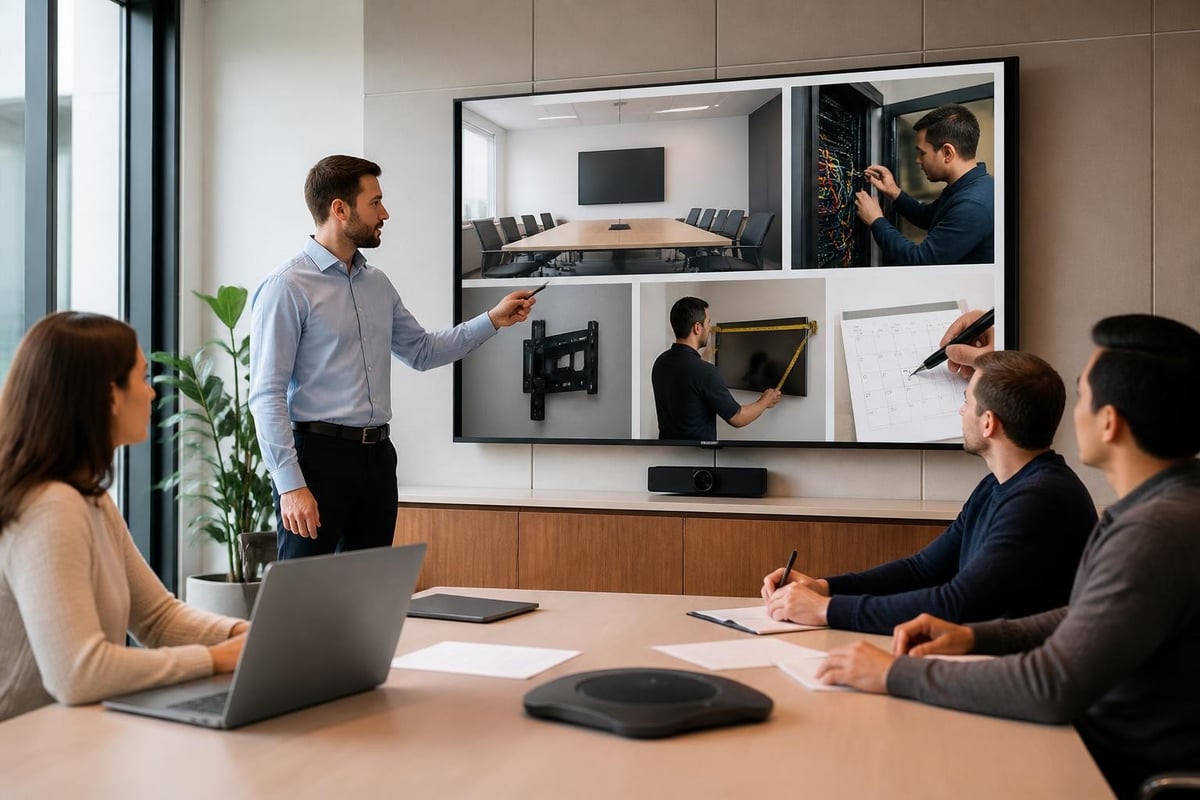
Professional installation ensures conference room digital signage operates reliably whilst maintaining aesthetic standards. Mounting height typically positions display centres at 1,450-1,550mm from floor level, providing comfortable viewing angles for both standing and wheelchair users.
Cable management deserves careful attention during installation planning. Visible power and network cables undermine the professional appearance that justifies digital signage investment. In-wall conduit routing or surface-mounted cable channels maintain clean aesthetics whilst protecting infrastructure from accidental damage.
Power considerations include both electrical capacity and backup provisions. Conference room digital signage connected to uninterruptible power supplies maintains operation during brief outages, ensuring that room status information remains available even when building systems fluctuate.
Content Management and Operational Workflows
Effective conference room digital signage requires robust content management systems that enable centralized control across distributed display networks. Cloud-based platforms allow facilities teams to update templates, adjust display schedules, and troubleshoot issues remotely without visiting individual screens.
User permission structures ensure appropriate access control. Meeting organisers might update room booking details, whilst only IT administrators can modify system-wide templates or network configurations. This granular access control prevents unauthorised changes whilst empowering stakeholders to manage relevant content.
Template libraries standardise visual presentation across conference room digital signage installations. Pre-approved layouts ensure brand consistency whilst reducing the time required to create new content. Templates accommodate various room types-standard conference rooms, executive boardrooms, training facilities-with appropriate information hierarchies for each use case.
Analytics and Performance Monitoring
Modern conference room digital signage platforms generate valuable analytics that inform facilities management decisions. Occupancy metrics reveal which rooms experience high demand versus those that remain underutilised, supporting evidence-based decisions about space allocation and resource investment.
Booking pattern analysis identifies peak usage periods, enabling organisations to implement dynamic pricing or priority systems that optimise room allocation. When data shows that certain departments consistently book large conference rooms for two-person meetings, policies can encourage more appropriate space selection.
System health monitoring tracks display uptime, content delivery success rates, and network connectivity status. Proactive alerts notify IT teams about displays requiring attention before users report problems, maintaining professional presentation standards.
Emerging Trends Shaping Future Deployments
Artificial intelligence integration represents the next evolution in conference room digital signage capabilities. Machine learning algorithms analyse historical booking patterns to predict future demand, suggesting optimal meeting times or alternative spaces when preferred rooms are unavailable.
Voice interaction enables hands-free control as employees approach meeting spaces. Natural language queries such as "Is the boardroom available now?" receive immediate audio responses whilst displays update to show relevant information, improving accessibility for users carrying materials or equipment.
Augmented reality wayfinding extends conference room digital signage into mobile experiences. Employees use smartphone cameras to overlay directional arrows and room information onto their physical environment, creating intuitive navigation through complex facilities.
Sustainability and Environmental Responsibility
Energy consumption awareness drives organisations toward conference room digital signage solutions that minimise environmental impact. Display technologies continue improving efficiency, with LED backlighting and automatic brightness adjustment reducing power consumption without compromising visibility.
E-waste considerations influence hardware selection decisions. Choosing displays with longer operational lifespans and manufacturer take-back programmes reduces the environmental burden of eventual disposal. Modular designs enable component replacement rather than complete system disposal when technology advances.
Carbon footprint accounting increasingly includes digital infrastructure alongside traditional facilities metrics. Organisations committed to sustainability targets evaluate conference room digital signage energy consumption within broader environmental management frameworks.
Implementation Roadmap for Successful Deployments
Successful conference room digital signage implementations follow structured project methodologies that address technical, operational, and change management dimensions. Initial discovery phases inventory existing meeting spaces, assess network infrastructure capacity, and gather stakeholder requirements across departments.
Phased deployment approach:
- Pilot installation in high-visibility spaces to validate technology and gather feedback
- Template refinement based on pilot learnings and user preferences
- Network infrastructure upgrades to support planned display density
- Staged rollout across building zones to manage installation resources
- Training delivery ensuring employees understand new booking workflows
- Performance monitoring tracking adoption metrics and system reliability
Stakeholder engagement proves critical throughout implementation. Facilities teams, IT departments, executive leadership, and end users each bring perspectives that shape successful deployments. Regular communication ensures expectations align with technical realities whilst building organisational support.
Budget planning accounts for both initial capital expenditure and ongoing operational costs. Hardware, installation, software licensing, network upgrades, and support resources require funding, whilst lifecycle planning addresses eventual hardware refresh cycles.
Training and Adoption Strategies
User adoption determines whether conference room digital signage delivers anticipated value. Even perfectly implemented systems fail when employees don't understand how to interact with new technology or resist changing established booking habits.
Training programmes should address various user groups with targeted content. Meeting organisers need comprehensive instruction on booking workflows and system capabilities, whilst general employees benefit from brief orientation covering how to check room availability and navigate facilities.
Champion networks accelerate adoption by identifying enthusiastic early adopters who can support colleagues through the transition. These champions provide peer-to-peer assistance that often proves more effective than formal training sessions, whilst feeding valuable feedback to implementation teams.
Conference room digital signage transforms workplace communication through real-time scheduling visibility, wayfinding assistance, and dynamic content delivery that traditional static signs cannot match. The technology delivers measurable improvements in space utilisation, operational efficiency, and professional presentation when deployed with careful attention to technical standards, content strategy, and user adoption. Whether you're planning your first digital signage installation or expanding existing systems, Signshoponline offers comprehensive expertise in custom signs, digital signage solutions, and promotional displays that elevate your workplace communication infrastructure to meet modern business demands.


