


Digital signage display screens have revolutionised the way businesses communicate with customers, employees, and visitors. These dynamic visual platforms combine advanced display technology with networked content management systems to deliver targeted, timely information in virtually any environment. From retail stores and corporate lobbies to transport hubs and healthcare facilities, digital signage display screens offer unprecedented flexibility and impact compared to traditional static signage. Understanding the technology, applications, and strategic considerations behind these systems enables organisations to maximise their investment and achieve measurable communication objectives.
Understanding Digital Signage Display Technology
The foundation of any digital signage solution lies in the display hardware itself. Today's digital signage display screens utilise several core technologies, each offering distinct advantages for specific applications and environments.
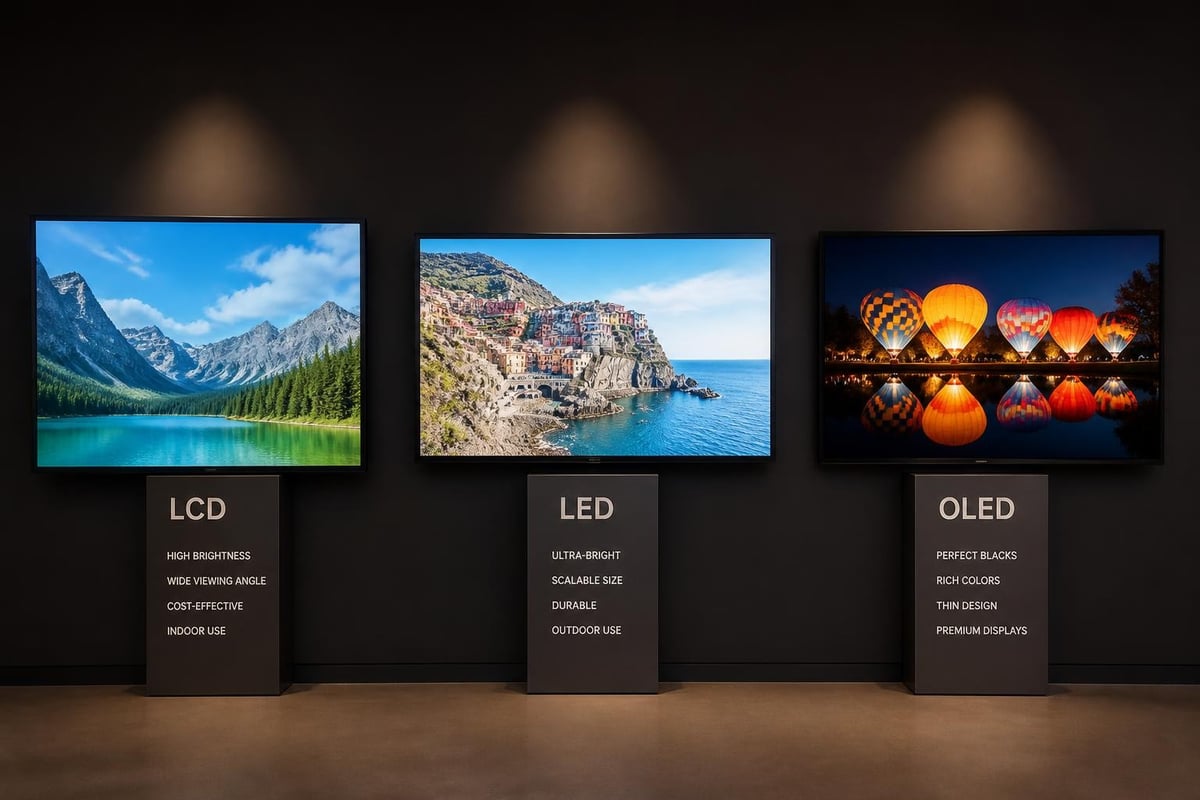
LED vs LCD Display Technologies
LCD (Liquid Crystal Display) panels remain the most common choice for indoor digital signage applications. These screens offer excellent colour reproduction, high resolution, and energy efficiency at competitive price points. Commercial-grade LCD displays differ significantly from consumer televisions, featuring higher brightness levels (typically 500-700 nits), extended operational lifespans rated for 16-24 hour daily use, and enhanced thermal management systems.
LED (Light Emitting Diode) technology appears in two distinct forms within the signage industry:
- Direct-view LED displays consisting of individual LED modules
- LED-backlit LCD panels using LEDs as the light source
- MicroLED and Mini-LED emerging technologies offering superior contrast
The Society for Information Display regularly showcases the latest advances in display technology, including OLED, microLED, and HDR capabilities that continue to expand what's possible with digital signage display screens.
Screen Specifications That Matter
When selecting digital signage display screens, several technical specifications directly impact performance and suitability:
| Specification | Indoor Standard | Outdoor Requirement | Impact |
|---|---|---|---|
| Brightness | 500-700 nits | 2,500-5,000 nits | Visibility in ambient light |
| Resolution | 1920×1080 (Full HD) | Varies by size | Content clarity and detail |
| Viewing Angle | 178° horizontal/vertical | 160°+ recommended | Audience coverage area |
| Operating Temperature | 0-40°C | -30 to 50°C | Environmental reliability |
| IP Rating | IP20-IP40 | IP65-IP67 | Weather and dust protection |
The IP Code system defined by IEC 60529 provides a standardised framework for understanding how well digital signage display screens resist environmental factors. This becomes particularly crucial for outdoor installations where protection against moisture, dust, and temperature extremes determines system longevity.
Strategic Applications Across Industries
Digital signage display screens deliver value across countless business contexts, each requiring tailored approaches to content, placement, and integration.
Retail and Hospitality Environments
Shopping centres, restaurants, and hotels deploy digital signage display screens to enhance customer experience whilst driving revenue. Window displays attract foot traffic with vibrant product showcases, whilst in-store screens provide wayfinding, promotional messaging, and queue management. Dynamic menu boards in quick-service restaurants demonstrate the technology's ability to update pricing and offerings in real-time based on time of day, inventory levels, or weather conditions.
Key retail applications include:
- Promotional content synchronised with in-store campaigns
- Interactive product finders and specification displays
- Queue entertainment and perceived wait-time reduction
- Real-time social media feeds and user-generated content
Corporate Communication Hubs
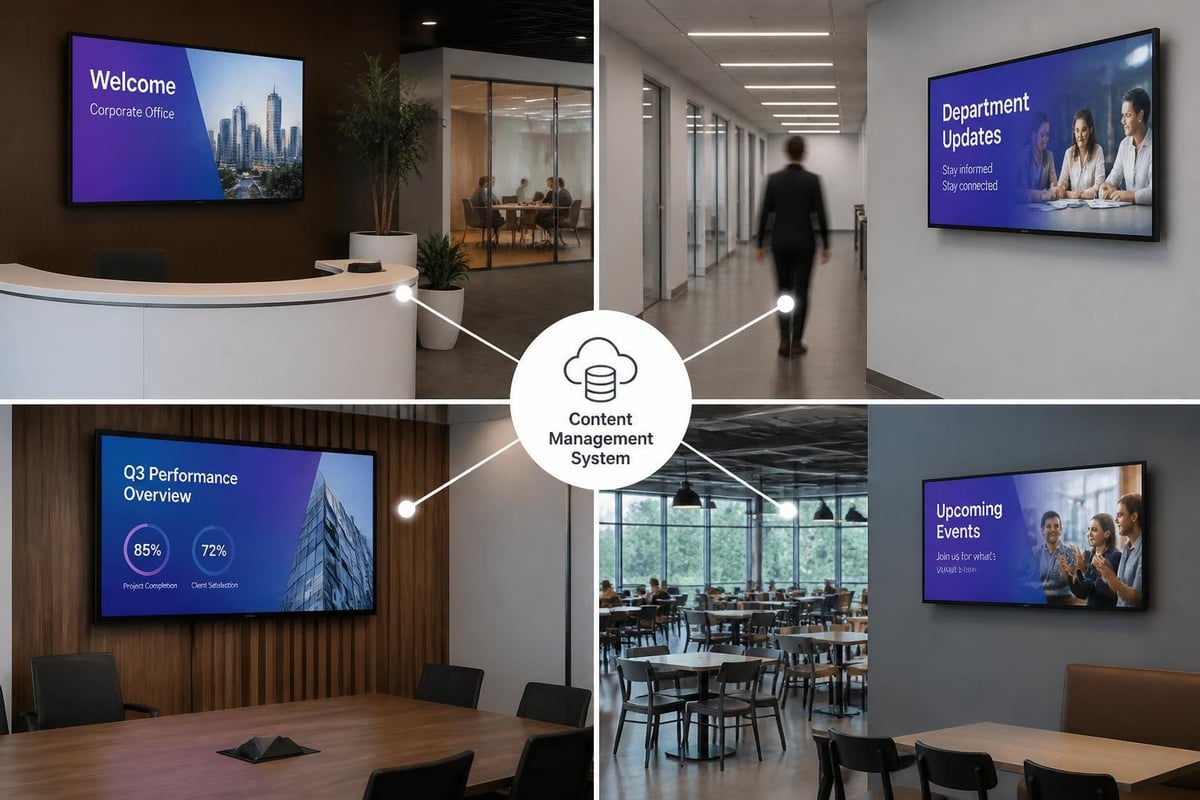
Modern office environments increasingly rely on digital signage display screens to centralise internal communications. Reception areas feature branded welcome messages and visitor management, whilst corridors and break rooms display company news, performance metrics, emergency notifications, and event calendars. The shift toward hybrid work models has amplified the importance of these touchpoints for maintaining culture and ensuring dispersed teams receive consistent messaging.
Transport and Wayfinding Systems
Airports, railway stations, hospitals, and universities depend on digital signage display screens to guide visitors through complex environments. These systems integrate with databases and sensors to provide real-time updates on departures, arrivals, room availability, and crowd management. The ability to instantly update information across dozens or hundreds of screens simultaneously makes digital signage indispensable for facilities where accurate, timely information directly impacts operational efficiency and user satisfaction.
Installation and Mounting Considerations
Proper installation ensures digital signage display screens perform reliably whilst maintaining aesthetic appeal and safety compliance. The VESA Flat Display Mounting Interface standard defines hole patterns on the back of displays, enabling universal compatibility with mounting hardware.
Mounting Options and Configurations
- Wall-mounted installations suit most indoor applications where floor space is limited
- Ceiling-suspended displays maximise visibility in high-traffic areas with tall ceilings
- Floor-standing kiosks provide interactive touchscreen access and can be relocated as needs change
- Window-mounted screens require high-brightness panels to combat sunlight whilst attracting outdoor attention
- Video wall arrays combine multiple displays to create large-scale visual impact
Professional installation considers electrical requirements, thermal management, cable routing, and accessibility compliance. Digital signage display screens generate heat during operation, requiring adequate ventilation, particularly in enclosed spaces or when multiple displays are clustered together. For outdoor installations, weatherproof enclosures with climate control systems protect sensitive electronics whilst maintaining optimal operating temperatures.
Content Management and Strategy
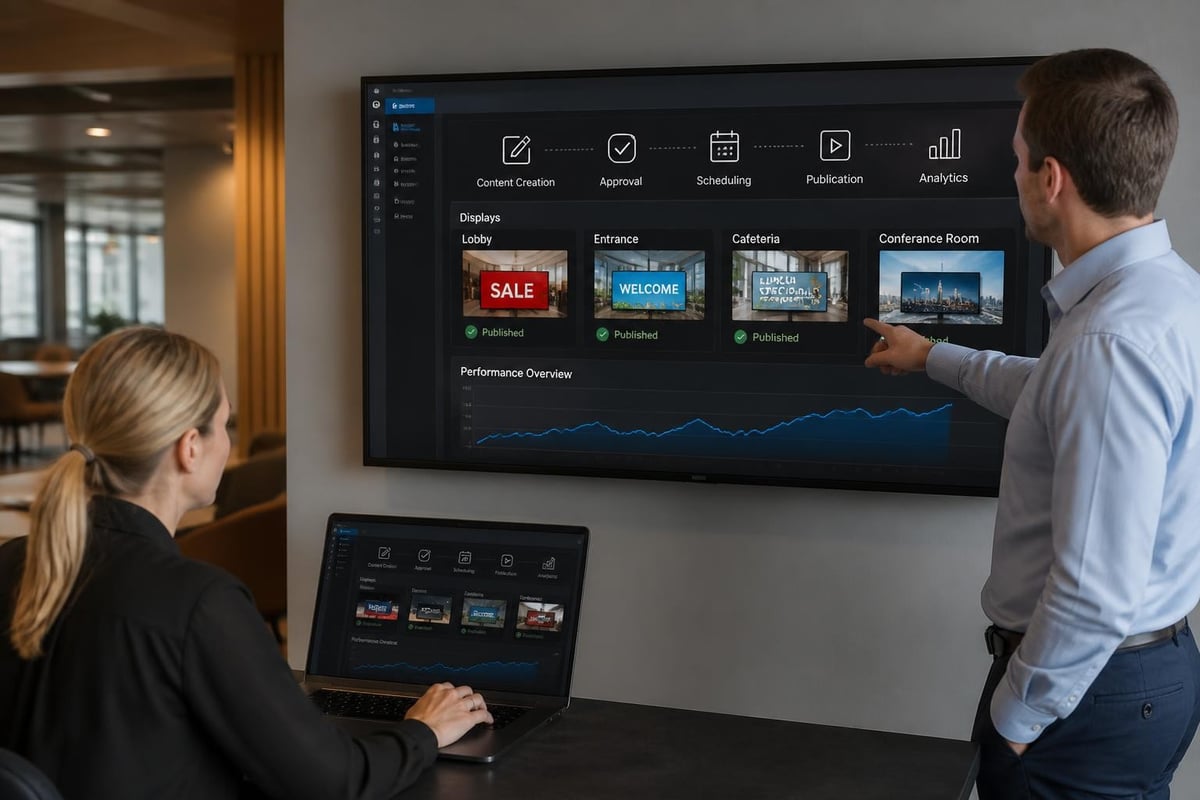
The most sophisticated digital signage display screens deliver minimal value without compelling, strategically managed content. Content management systems (CMS) serve as the operational backbone, enabling users to schedule, publish, and monitor content across networks of displays.
Developing Effective Digital Signage Content
Visual hierarchy and readability form the foundation of effective digital signage content. The WCAG accessibility guidelines provide valuable direction on contrast ratios, font sizes, and colour combinations that ensure content remains perceivable to diverse audiences, including those with visual impairments. For digital signage display screens viewed from distances of 3-10 metres, text should be large, concise, and supported by strong visual elements.
Content best practices include:
- Limit text to 5-7 words per slide for optimal comprehension at viewing distances
- Use high-contrast colour schemes that remain visible under varying ambient lighting
- Incorporate motion strategically to attract attention without overwhelming viewers
- Rotate content every 5-10 seconds to maintain engagement whilst allowing adequate viewing time
- Align messaging with location context and audience demographics
The International Color Consortium specifications guide colour management across digital signage networks, ensuring brand colours appear consistently across different display models and technologies. This becomes particularly important for retail chains and franchises maintaining strict brand standards.
Cloud-Based vs On-Premise Management
| Approach | Advantages | Considerations |
|---|---|---|
| Cloud-based CMS | Remote access, automatic updates, scalability, lower upfront costs | Ongoing subscription fees, internet dependency |
| On-premise CMS | Data control, no recurring fees, works offline | Higher initial investment, manual updates, dedicated IT resources |
| Hybrid Solutions | Combines cloud convenience with local redundancy | Additional complexity, requires technical expertise |
Many organisations managing distributed networks of digital signage display screens across multiple locations favour cloud-based platforms for their centralised control and real-time update capabilities. Local caching ensures content continues displaying even during network outages, maintaining communication continuity.
Security and Compliance Requirements
As networked devices, digital signage display screens introduce cybersecurity considerations that organisations must address proactively. The CISA IoT resources provide guidance on securing connected devices against unauthorised access, malware, and data breaches.
Network Security Best Practices
- Segment digital signage networks from critical business systems
- Implement strong authentication for CMS access
- Regularly update firmware and software to patch vulnerabilities
- Monitor network traffic for suspicious activity
- Encrypt content transmission and storage
- Establish incident response procedures
Public-facing digital signage display screens in government facilities, healthcare settings, and educational institutions must comply with accessibility regulations. The U.S. Access Board's ICT guidelines address requirements for kiosks and public displays, ensuring information remains accessible to individuals with disabilities. Considerations include audio alternatives for visual content, appropriate mounting heights, and tactile or voice-activated interfaces for interactive systems.
Energy Efficiency and Environmental Impact
Commercial digital signage display screens operate continuously, making energy consumption a significant operational expense and environmental consideration. ENERGY STAR specifications establish efficiency benchmarks that help organisations select displays offering superior performance per watt.
Reducing Operating Costs
Modern digital signage display screens incorporate several energy-saving features:
- Ambient light sensors automatically adjust brightness based on surrounding conditions
- Occupancy detection dims or deactivates displays when viewers are absent
- Scheduled power management reduces brightness during off-peak hours
- LED backlighting consumes significantly less power than legacy CCFL technology
- Efficient power supplies minimise conversion losses
A 55-inch commercial display operating 16 hours daily at 150 watts costs approximately £95 annually to power (at £0.30/kWh). Multiply this across dozens of screens, and efficiency gains deliver substantial savings. Brightness reduction of just 20% during low-traffic periods can decrease consumption by 15-20% without noticeably impacting viewer experience.
Integration with Existing Signage Solutions
Digital signage display screens complement rather than replace traditional signage elements within comprehensive wayfinding and branding systems. Organisations often deploy both static and dynamic solutions strategically, leveraging the strengths of each approach.
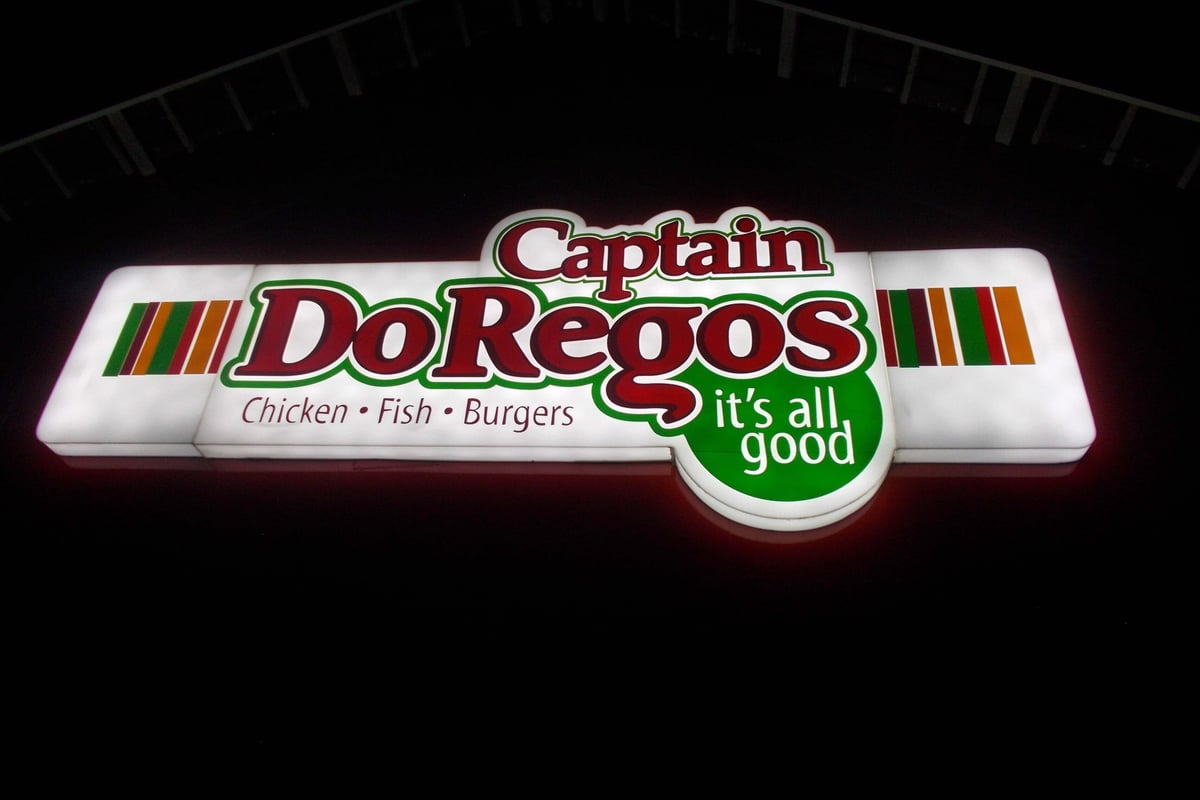
For businesses already utilising illuminated lightboxes as part of their signage portfolio, digital displays offer enhanced flexibility for locations requiring frequently updated information. Whilst static lightboxes excel at delivering consistent brand presence and wayfinding at fixed locations, digital signage display screens enable real-time content adaptation for promotional areas, event spaces, and information hubs. Many facilities integrate both technologies, using traditional signage for permanent wayfinding and branding whilst deploying digital screens for dynamic content zones.
Hybrid Signage Strategies
- Permanent directional signage uses traditional fabricated letters or dimensional lettering
- Variable information zones employ digital signage display screens for schedules, promotions, and alerts
- Brand identity anchors utilise reception signs and monument signage
- Temporary promotional displays leverage portable solutions like banner stands alongside digital screens
This layered approach optimises both capital investment and operational flexibility, ensuring the right communication tool serves each specific requirement.
Maintenance and Lifecycle Management
Maximising return on investment in digital signage display screens requires proactive maintenance and strategic lifecycle planning. Commercial-grade displays typically offer service lives of 50,000-100,000 hours, translating to 8-12 years of continuous operation at 16 hours daily.
Preventive Maintenance Checklist
- Monthly inspections examining physical condition, mounting security, and cable connections
- Quarterly cleaning removing dust from vents and screens using appropriate materials
- Semi-annual software updates ensuring CMS, firmware, and security patches remain current
- Annual calibration maintaining colour accuracy and brightness uniformity
- Continuous monitoring tracking operational status, content delivery, and error logs
Remote monitoring capabilities built into modern digital signage display screens enable IT teams to identify issues before they impact viewers. Temperature alerts, failed display notifications, and content delivery confirmations provide operational visibility across geographically distributed installations.
Future Trends Shaping Digital Signage
The digital signage industry continues evolving rapidly, with several emerging technologies poised to expand capabilities and applications over the coming years.
Artificial Intelligence and Personalisation
AI-powered digital signage display screens analyse viewer demographics, dwell time, and engagement patterns to optimise content dynamically. Facial recognition (where privacy regulations permit) enables age and gender targeting, whilst gaze tracking identifies which content elements capture attention most effectively. These insights inform both real-time content selection and longer-term creative strategies.
Advanced Interactivity
Touchscreen technology represents just the beginning of interactive digital signage. Gesture recognition, voice activation, and smartphone integration create increasingly sophisticated user experiences. QR codes bridging physical displays to mobile devices enable frictionless transitions from awareness to action, tracking customer journeys across touchpoints.
The InfoComm digital signage programming explores these emerging trends, providing industry professionals with insights into technologies reshaping how organisations deploy and leverage digital signage display screens.
Transparent and Flexible Displays
Transparent OLED and LCD panels enable creative installations where digital content overlays physical products or environments. Retail window displays, museum exhibits, and architectural applications benefit from this technology. Flexible displays that conform to curved surfaces or fold for transport expand installation possibilities beyond traditional flat-panel configurations.
Measuring Performance and ROI
Justifying investment in digital signage display screens requires establishing clear objectives and measurement frameworks aligned with business goals.
Key Performance Indicators
Different applications demand distinct success metrics:
Retail environments track:
- Foot traffic changes in display zones
- Sales lift for promoted products
- Customer dwell time and engagement
- Queue length and wait-time perception
Corporate settings measure:
- Message reach and frequency
- Employee awareness of initiatives
- Reduction in printed communications
- Event attendance and participation
Public spaces monitor:
- Wayfinding query reduction
- Passenger information accuracy
- Emergency notification delivery
- Visitor satisfaction scores
Advanced analytics platforms integrate with existing business intelligence systems, correlating digital signage metrics with broader organisational KPIs. Point-of-sale data, customer relationship management systems, and facility sensors provide context that transforms raw display statistics into actionable insights.
Technical Infrastructure Requirements
Successful digital signage networks depend on robust technical infrastructure supporting reliable content delivery and device management.
Network Architecture Considerations
- Bandwidth allocation ensuring adequate capacity for video content delivery without impacting other systems
- Content caching at edge devices reducing network dependency for playback
- Redundant connectivity combining wired and wireless options for failover protection
- Quality of Service (QoS) configuration prioritising signage traffic appropriately
- Local storage buffering content to maintain playback during temporary network disruptions
Display controllers and media players have evolved from dedicated appliances to system-on-chip solutions integrated directly into commercial displays. These built-in platforms reduce hardware costs and simplify installation whilst offering sufficient performance for most applications. High-resolution video walls and interactive experiences may still require external computing resources.
Digital signage display screens represent a powerful communication platform that combines technological sophistication with strategic flexibility, enabling organisations to deliver targeted, timely messages across diverse environments. From understanding display technologies and installation requirements to developing compelling content and measuring performance, successful implementation requires attention to both technical and strategic dimensions. Whether you're refreshing existing signage or embarking on your first digital deployment, Signshoponline provides the expertise and solutions portfolio to bring your vision to life, from cutting-edge digital displays to complementary traditional signage elements that create cohesive, impactful communication systems.


