

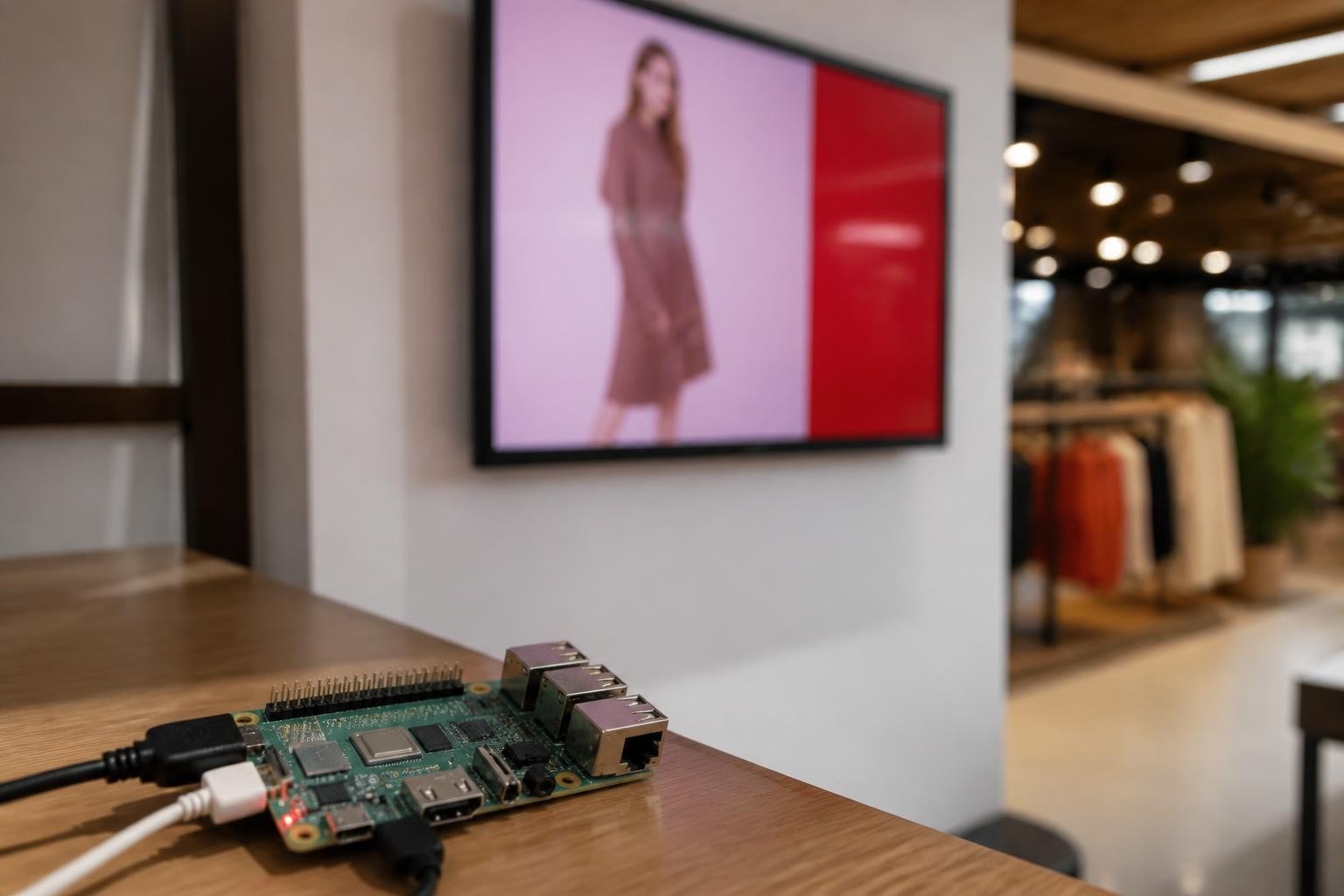
The evolution of digital signage has opened new possibilities for businesses seeking cost-effective, flexible display solutions. Among the most compelling developments is the emergence of raspberry pi digital signage systems, which combine affordable hardware with powerful software to create professional displays suitable for retail, hospitality, corporate, and educational environments. This approach democratizes access to dynamic visual communication, enabling even small businesses to deploy sophisticated content management systems without enterprise-level budgets.
Understanding Raspberry Pi Digital Signage Solutions
Raspberry pi digital signage represents a significant shift in how businesses approach visual communication. The Raspberry Pi single-board computer serves as the foundation for these systems, offering sufficient processing power to drive high-definition displays whilst consuming minimal electricity and occupying minimal physical space.
The latest generation Raspberry Pi models deliver impressive capabilities for signage applications. The Raspberry Pi 5, reviewed extensively by Tom's Hardware, supports dual 4K HDMI outputs at 60Hz, enabling businesses to drive two separate displays from a single board. This dual-display capability proves particularly valuable for retail environments requiring multiple screens or corporate settings with lobby and corridor displays.
Hardware Requirements and Specifications
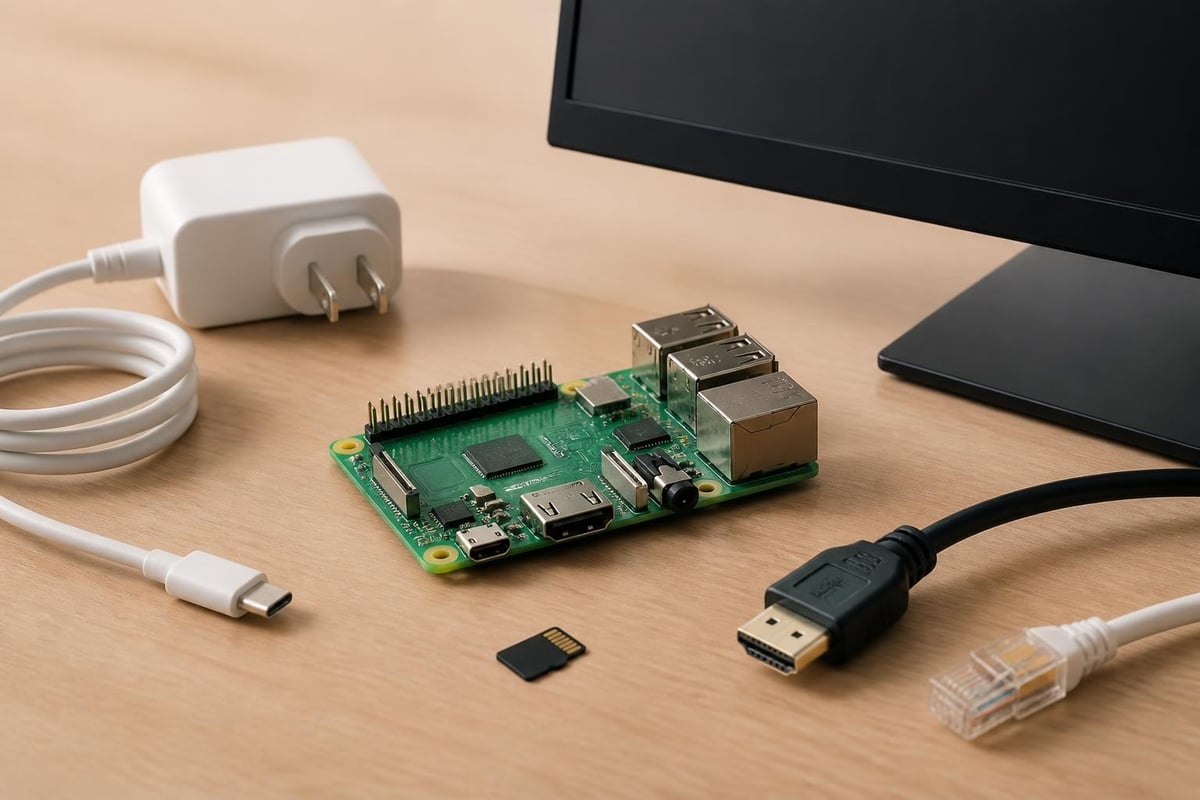
Building a reliable raspberry pi digital signage system requires careful attention to component selection. The core requirements include:
- Main board: Raspberry Pi 4 (4GB or 8GB RAM) or Raspberry Pi 5 for optimal performance
- Power supply: Official 15W USB-C adapter recommended for stability
- Storage: Industrial-grade microSD card (32GB minimum) or USB SSD for longevity
- Display connectivity: HDMI cable rated for your screen resolution
- Case: Ventilated enclosure suitable for continuous operation
- Network: Ethernet adapter or reliable WiFi for content updates
The official Raspberry Pi power supply brief provides detailed specifications for ensuring reliable operation. Inadequate power delivery remains a common cause of system instability in always-on signage deployments, making the official adapter a worthwhile investment.
Storage Considerations for Continuous Operation
Storage reliability proves critical for raspberry pi digital signage systems operating 24/7. Standard consumer microSD cards often fail under constant write cycles, particularly when logging system events or caching media content. Industrial-grade SD cards with wear-leveling technology or USB-attached solid-state drives offer superior longevity and performance.
| Storage Type | Typical Lifespan | Write Cycles | Cost (2026) | Best For |
|---|---|---|---|---|
| Consumer microSD | 6-12 months | 500-1000 | £8-15 | Testing/temporary |
| Industrial microSD | 3-5 years | 10,000+ | £25-45 | Standard deployments |
| USB SSD (128GB) | 5-10 years | 100,000+ | £35-60 | Mission-critical |
Software Platforms for Raspberry Pi Digital Signage
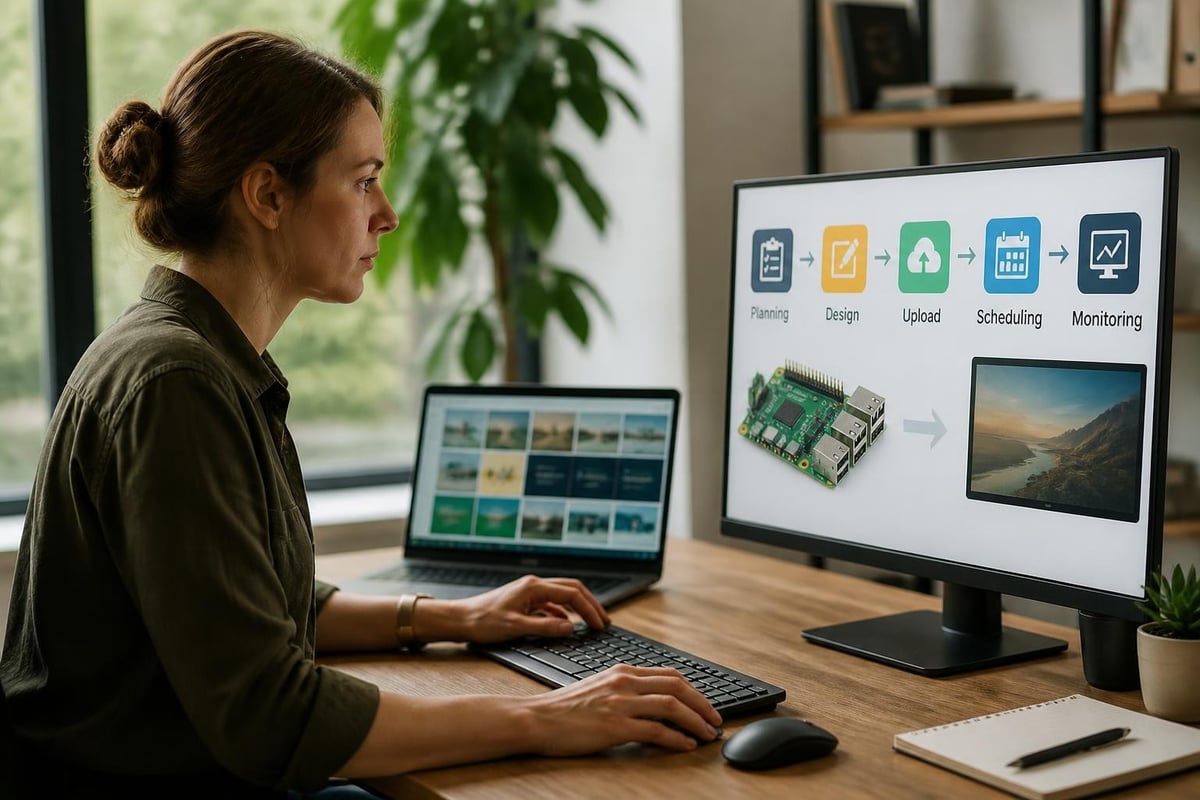
Several software approaches enable raspberry pi digital signage deployments, ranging from simple browser-based solutions to sophisticated content management systems. The choice depends on your technical capabilities, content complexity, and management requirements.
Browser-Based Solutions
The simplest approach uses a web browser in kiosk mode to display content. Chromium, pre-installed on Raspberry Pi OS, can launch in full-screen mode and automatically load specified URLs. This method works exceptionally well for cloud-based signage services, HTML5 content, and web-based dashboards.
A practical implementation involves configuring the system to auto-login, launch Chromium in kiosk mode, and navigate to your content URL. The demo repository on GitHub provides a deployable example showing how to configure browser-based signage with remote management capabilities.
Dedicated Signage Operating Systems
Purpose-built operating systems streamline raspberry pi digital signage deployment and management. These platforms typically include content scheduling, remote monitoring, and automated updates. Popular options include:
- Screenly OSE: Open-source solution with web-based content management
- Anthias: Fork of Screenly with enhanced features and active development
- info-beamer: Professional platform with advanced scheduling and analytics
- Xibo: Enterprise-grade CMS supporting multiple player types including Raspberry Pi
Each platform offers distinct advantages depending on your deployment scale and content requirements. Browser-based solutions excel at simplicity, whilst dedicated platforms provide robust scheduling and multi-screen management.
Optimizing Content for Raspberry Pi Hardware
Content optimization becomes crucial when deploying raspberry pi digital signage systems. The hardware, whilst capable, has limitations compared to dedicated signage players or desktop computers. Strategic content design ensures smooth playback and professional presentation.
Video Format and Codec Selection
Video content requires careful optimization to prevent stuttering or frame drops. The Raspberry Pi includes hardware acceleration for specific codecs, making format selection critical for performance.
Optimal video specifications for raspberry pi digital signage:
- Codec: H.264 (hardware-accelerated on all models)
- Resolution: Match native display resolution (avoid scaling)
- Frame rate: 24-30 fps sufficient for most signage content
- Bitrate: 5-8 Mbps for 1080p, 15-20 Mbps for 4K
- Container: MP4 with AAC audio
The web.dev guide on video performance provides authoritative best practices for optimizing video playback, including codec selection, poster images, and autoplay considerations. Following these guidelines ensures your raspberry pi digital signage delivers smooth, professional playback.
Image Optimization Techniques
Static images should be optimized for size and format to reduce loading times and storage requirements. Excessive file sizes waste bandwidth during remote updates and consume limited storage capacity.
- Resize images to exact display dimensions
- Use JPEG for photographs (quality 80-85%)
- Use PNG for graphics with transparency
- Implement lazy loading for multi-image playlists
- Consider WebP format for modern browser-based solutions
Remote Management and Fleet Deployment
Managing multiple raspberry pi digital signage installations requires robust remote-management capabilities. Manual updates become impractical beyond a handful of screens, necessitating centralized control and automated deployment.
Container-Based Deployment with balena
Container technology revolutionizes raspberry pi digital signage fleet management. Platforms like balena enable you to package your signage application as a container, then remotely deploy and update it across dozens or hundreds of devices simultaneously.
The balena documentation explains how to develop and deploy containerized applications to Raspberry Pi fleets. This approach provides version control, rollback capabilities, and consistent environments across your entire signage network. For businesses operating multiple locations, container-based deployment dramatically reduces maintenance overhead.
Network Architecture and Security
Reliable networking forms the backbone of remotely-managed raspberry pi digital signage systems. Ethernet connections provide superior reliability compared to WiFi, particularly in environments with multiple wireless networks or interference sources.
Security considerations for network-connected signage include:
- Firewall configuration: Block unnecessary inbound connections
- SSH key authentication: Disable password-based SSH access
- VPN access: Use VPN for remote management rather than exposing services directly
- Automatic updates: Enable unattended security updates for the operating system
- Content authentication: Verify content sources to prevent unauthorized changes
Integration with Content Management Systems
Professional raspberry pi digital signage deployments benefit significantly from integration with content management systems. These platforms provide scheduling, user permissions, content libraries, and analytics that transform basic displays into strategic communication tools.
| Feature | Self-Hosted CMS | Cloud-Based CMS | Browser-Only |
|---|---|---|---|
| Setup complexity | High | Low | Very low |
| Monthly cost | Infrastructure only | £5-50 per screen | Free-£10 |
| Offline capability | Excellent | Limited | Poor |
| Remote updates | Requires VPN/tunneling | Built-in | Limited |
| Multi-user access | Configurable | Built-in | Not applicable |
When selecting a CMS for raspberry pi digital signage, consider your technical resources, budget, and scale requirements. Small single-location deployments often succeed with browser-based solutions, whilst multi-site enterprises benefit from commercial cloud platforms.
Practical Applications Across Industries
Raspberry pi digital signage adapts to diverse business requirements across multiple sectors. Understanding typical applications helps identify opportunities within your organization.
Retail Environments
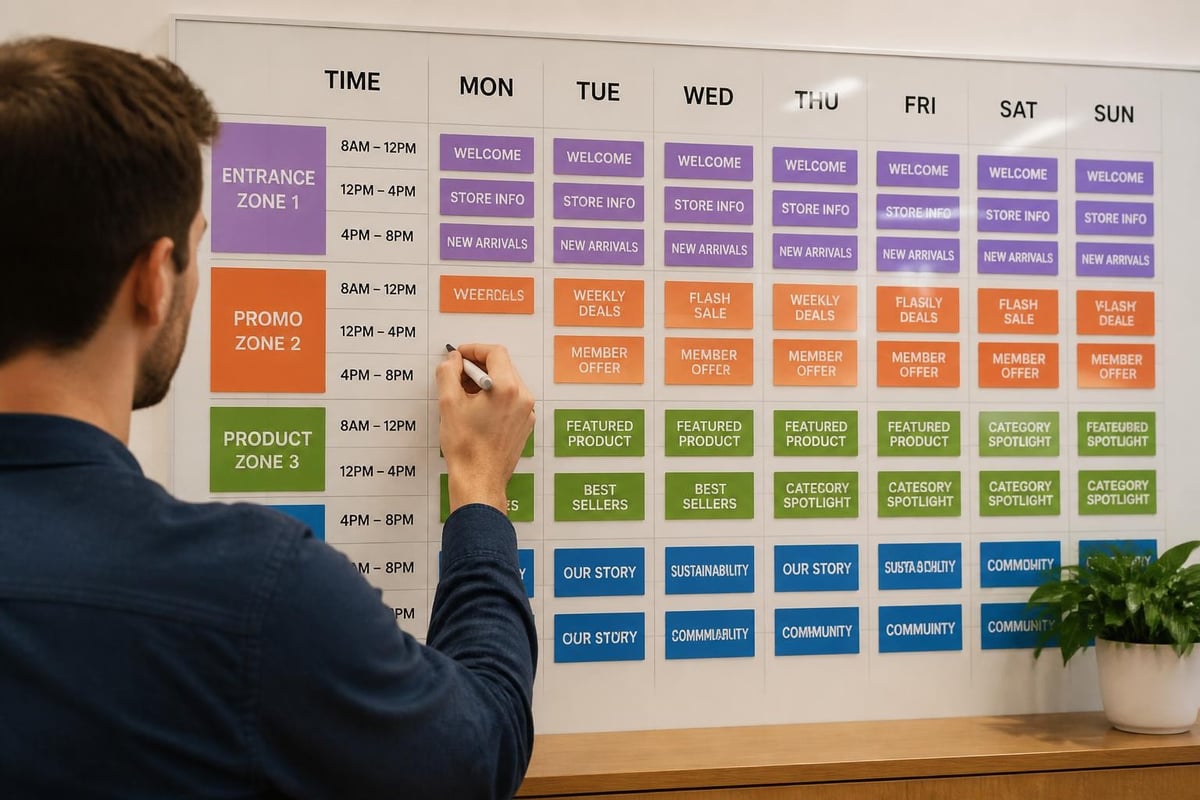
Retail applications represent the largest segment of raspberry pi digital signage deployments. Cost-effectiveness enables retailers to deploy multiple screens throughout stores, creating engaging customer experiences without substantial capital investment.
Common retail applications include:
- Product promotions: Highlighting current offers and seasonal products
- Brand storytelling: Sharing company values and product origins
- Queue entertainment: Reducing perceived wait times at checkpoints
- Menu boards: Displaying current offerings in food service environments
- Wayfinding: Directing customers to departments and services
Corporate Communications
Corporate environments leverage raspberry pi digital signage for internal communications, visitor management, and workspace coordination. The flexibility to display dashboards, announcements, and real-time data proves invaluable in modern offices.
Meeting room displays represent a particularly effective application, showing room availability, current bookings, and upcoming reservations. Integration with calendar systems creates dynamic scheduling displays that reduce booking conflicts and improve space utilization.
Hospitality and Tourism
Hotels, restaurants, and tourist attractions deploy raspberry pi digital signage to enhance guest experiences and streamline operations. The ability to update content remotely proves essential for properties with changing events, seasonal offerings, and real-time information requirements.
Event schedules, local attractions, weather forecasts, and emergency notifications can all be managed centrally and distributed to displays throughout a property. This creates cohesive communication whilst maintaining the flexibility to customize content for specific locations or audiences.
Accessibility Considerations for Public Displays
Digital signage in public spaces must consider accessibility requirements to ensure inclusive communication. The W3C WCAG guidelines provide the foundation for accessible digital content, whilst the U.S. Access Board guidance offers specific considerations for digital signage and kiosk applications.
Visual Accessibility Requirements
Visual accessibility encompasses multiple dimensions beyond basic readability. Effective raspberry pi digital signage implementations should address:
- Contrast ratios: Minimum 4.5:1 for normal text, 3:1 for large text
- Font selection: Clear, sans-serif typefaces at appropriate sizes
- Reading time: Sufficient display duration for content comprehension
- Animation: Avoidance of rapid flashing that may trigger seizures
- Color dependence: Never rely solely on color to convey information
The HTML audio/video reference provides practical guidance for implementing accessible media content, including captions, transcripts, and audio descriptions that benefit users with varying abilities.
Auditory Accessibility
When raspberry pi digital signage includes audio content, providing alternatives becomes essential for deaf and hard-of-hearing audiences. Captions, transcripts, and visual indicators ensure information reaches all viewers regardless of hearing ability.
Consider implementing:
- Synchronized captions for all video content
- Visual indicators when audio is playing
- Transcript availability for audio-only content
- Adjustable volume controls where user interaction is possible
- Haptic feedback for interactive kiosks
Power Management and Energy Efficiency
Energy efficiency represents a significant advantage of raspberry pi digital signage systems. The Raspberry Pi consumes approximately 5-8 watts under typical signage workloads, compared to 30-60 watts for traditional digital signage players or repurposed desktop computers.
Annual energy costs for continuous operation in the UK (assuming £0.28/kWh in 2026):
- Raspberry Pi 4: £12-17 per year
- Traditional signage player: £73-147 per year
- Repurposed desktop PC: £147-220 per year
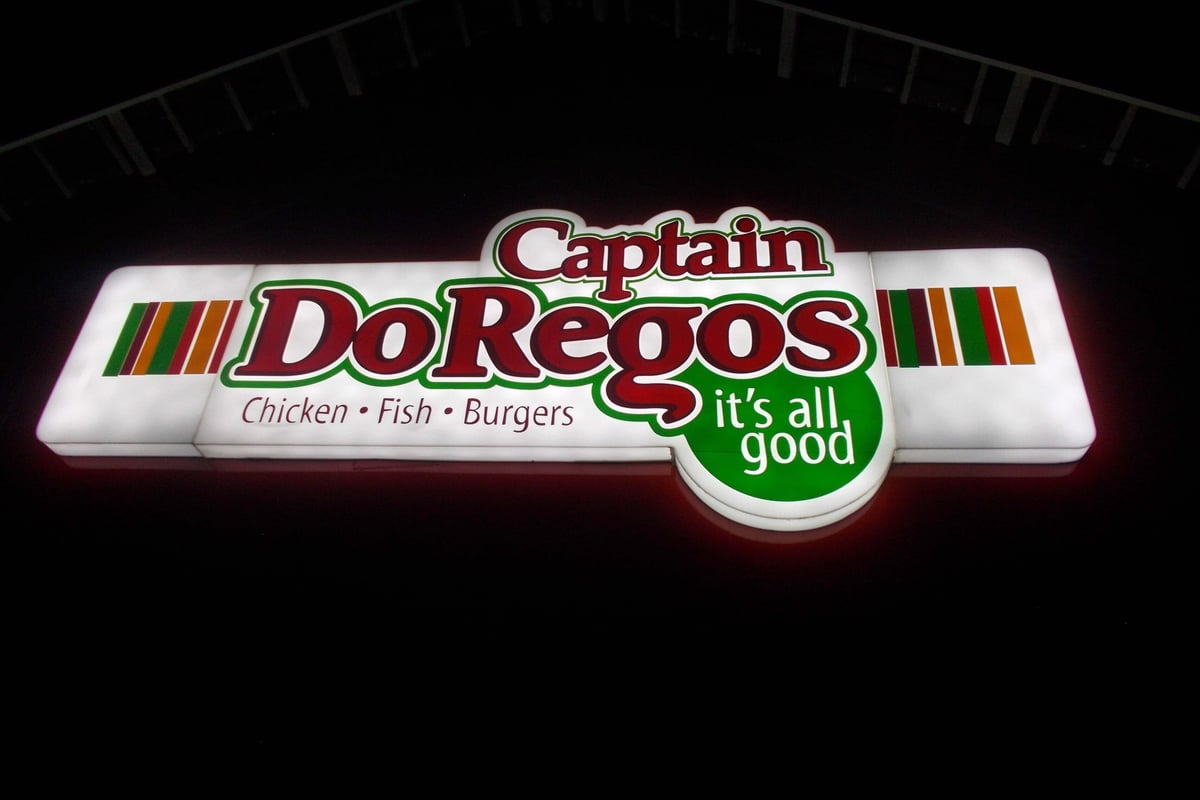
For businesses operating multiple displays, these savings accumulate significantly whilst reducing environmental impact. When combined with efficient lightbox signage, the total energy footprint of a complete signage solution decreases substantially compared to traditional approaches.
Display Scheduling and Automation
Further energy savings emerge through intelligent display scheduling. Raspberry pi digital signage systems can automatically power displays on and off based on business hours, occupancy sensors, or ambient light levels.
Implementation approaches include:
- HDMI CEC control: Automated display power management via HDMI connection
- Smart plug integration: Network-controlled power for displays without CEC support
- Time-based scheduling: Automatic on/off based on operating hours
- Occupancy sensing: Motion detection to wake displays when viewers approach
- Brightness adaptation: Automatic adjustment based on ambient light conditions
Maintenance and Troubleshooting
Proactive maintenance ensures reliable operation of raspberry pi digital signage deployments. Regular monitoring, automated health checks, and systematic troubleshooting minimize downtime and maintain professional presentation.
System Monitoring and Health Checks
Implementing automated monitoring alerts you to issues before they impact viewers. Essential metrics to track include:
| Metric | Normal Range | Alert Threshold | Common Causes |
|---|---|---|---|
| CPU temperature | 40-60°C | >75°C | Poor ventilation, ambient heat |
| Storage usage | <70% | >85% | Log accumulation, content bloat |
| Network connectivity | Online | Offline >5 min | Cable issues, router problems |
| Display connection | Active | No signal | HDMI cable, display power |
| Application uptime | Continuous | Restart detected | Software crash, power loss |
Regular review of these metrics enables preventive maintenance and quick resolution when issues arise. Many raspberry pi digital signage platforms include built-in monitoring dashboards that aggregate health data across multiple deployments.
Common Issues and Solutions
Understanding frequent failure modes accelerates troubleshooting and reduces downtime. The most common raspberry pi digital signage issues include:
Display goes blank after hours of operation Typically indicates overheating. Verify adequate ventilation, clean dust from enclosure, and consider adding a small fan for deployments in warm environments or enclosed spaces.
Content fails to update remotely Check network connectivity first. Verify firewall rules allow outbound connections to your content management system. Confirm storage space remains available for downloads.
Playback stutters or freezes Usually results from excessive CPU or memory usage. Review running processes, optimize video codecs and resolutions, and ensure adequate power supply delivery.
System becomes unresponsive Often caused by microSD card failure in continuous-operation scenarios. Replace with industrial-grade storage and implement remote reboot capabilities for recovery.
Cost Analysis and Return on Investment
The financial case for raspberry pi digital signage extends beyond initial hardware savings. Total cost of ownership, deployment flexibility, and operational efficiency contribute to overall return on investment.
Initial Deployment Costs
A complete raspberry pi digital signage installation (single screen) typically includes:
- Raspberry Pi 4 (4GB) or Pi 5: £45-65
- Power supply: £8-12
- Industrial microSD card: £25-35
- Case: £8-15
- HDMI cable: £5-10
- Display (varies widely): £150-800
Total hardware cost: £241-937 depending on display choice and specifications. This represents 40-60% savings compared to proprietary digital signage players whilst maintaining professional capabilities.
Operational Cost Considerations
Beyond initial hardware, ongoing costs influence total ownership expenses:
- Electricity: £12-17 annually per screen
- Internet connectivity: Included in existing business service
- Content management software: £0-50 monthly depending on platform
- Maintenance: Minimal with proper initial configuration
- Content creation: Variable based on in-house vs. outsourced production
The combination of low initial investment and minimal operational costs enables businesses to deploy comprehensive signage networks that would be financially prohibitive with traditional solutions. For retailers operating multiple locations, the ability to deploy screens in every store transforms customer engagement capabilities.
Scaling from Pilot to Enterprise Deployment
Successful raspberry pi digital signage implementations often begin with pilot projects before expanding to full-scale deployments. This staged approach validates technical choices, refines content strategies, and builds organizational expertise.
Pilot Project Best Practices
Start with a limited deployment addressing a specific business need. Retail businesses might begin with a single promotional display near the entrance, whilst corporate environments could pilot meeting room displays. This focused approach enables learning without substantial risk.
Key pilot objectives:
- Validate hardware reliability in your specific environment
- Test content management workflow efficiency
- Measure viewer engagement and business impact
- Identify technical or operational challenges
- Refine content creation and scheduling processes
- Train staff on system operation and basic troubleshooting
Document lessons learned throughout the pilot phase. Technical discoveries about network reliability, content format preferences, and viewer interaction patterns inform subsequent rollout planning.
Expansion Strategies
Once the pilot validates your approach, systematic expansion maximizes success whilst managing risk. Consider geographic clustering for easier maintenance, standardize hardware configurations for simplified support, and implement robust remote management before deployment exceeds manual management capacity.
Phased expansion also distributes capital requirements across multiple budget periods, easing financial planning whilst maintaining deployment momentum. Many businesses find quarterly rollout schedules balance progress against resource availability and organizational change capacity.
Raspberry pi digital signage democratizes access to professional visual communication, enabling businesses of all sizes to deploy dynamic displays that engage audiences and communicate effectively. The combination of affordable hardware, flexible software platforms, and remote management capabilities creates opportunities previously limited to enterprises with substantial technology budgets. Whether you're implementing a single screen or planning a multi-location network, Signshoponline brings extensive expertise in digital signage solutions, helping you select the right technology, design compelling content, and deploy systems that deliver measurable business results.


